
Imagine the smartest person you have ever met. They have every book memorized, can speak 50 languages, and solve complex physics equations in seconds. But there is one catch: they are locked in a room with no windows, no phone, and no internet. This is exactly where most AI models like ChatGPT or Claude lived until recently. To break them out of this room and make them useful for your business, we need two critical technologies: acp and mcp. These acronyms might sound like technical jargon, but they are actually the keys to turning AI from a chatty assistant into a digital employee that can actually do work for you.
Why Your AI Currently Feels Limited
If you have used AI for more than five minutes, you have probably hit the wall. You ask it to summarize a meeting, but it does not have access to your Zoom recordings. You ask it to update a client's information, but it cannot talk to your CRM. You ask it to draft an email based on a spreadsheet, but you have to manually copy and paste the data. This friction exists because the AI is isolated. It is a brain without hands. Without a standardized way to connect to your files, your apps, and your other AI tools, it remains a brilliant but trapped genius.
The Simple Definition: MCP is the Hands, ACP is the Brain
To understand the difference, think of it this way: MCP (Model Context Protocol) provides the physical connection. It is the hands and the cables that allow the AI to reach out and touch your data. ACP (Agent Communication Protocol) is the social skill. It is how different AI agents talk to each other to coordinate a complex project. Together, acp and mcp create an ecosystem where AI can operate autonomously, performing tasks while you sleep. This is the foundation of what we call Passive AI.
Understanding ACP and MCP: Model Context Protocol Guidelines for Beginners
When people ask, what is the purpose of mcp, the easiest answer is connectivity. In the past, if a company wanted their AI to talk to their database, they had to hire a team of developers to build a custom bridge. This was expensive, slow, and fragile. If the database updated, the bridge broke. The mcp standards were created to solve this by providing a universal language for AI connectivity.
What is the Purpose of MCP?
The primary purpose of MCP is to stop developers from reinventing the wheel. It allows a data source (like your Google Drive or a weather API) to say, "Here is my data, and here is how an AI can read it," in a way that every AI model understands. For a non-technical person, this means that soon, connecting your AI to your business tools will be as easy as clicking "Connect" in an app store. You won't need to know how to code; you will just need to follow basic mcp user guide steps provided by your software providers.
The USB-C of AI: How Standardization Changes Everything
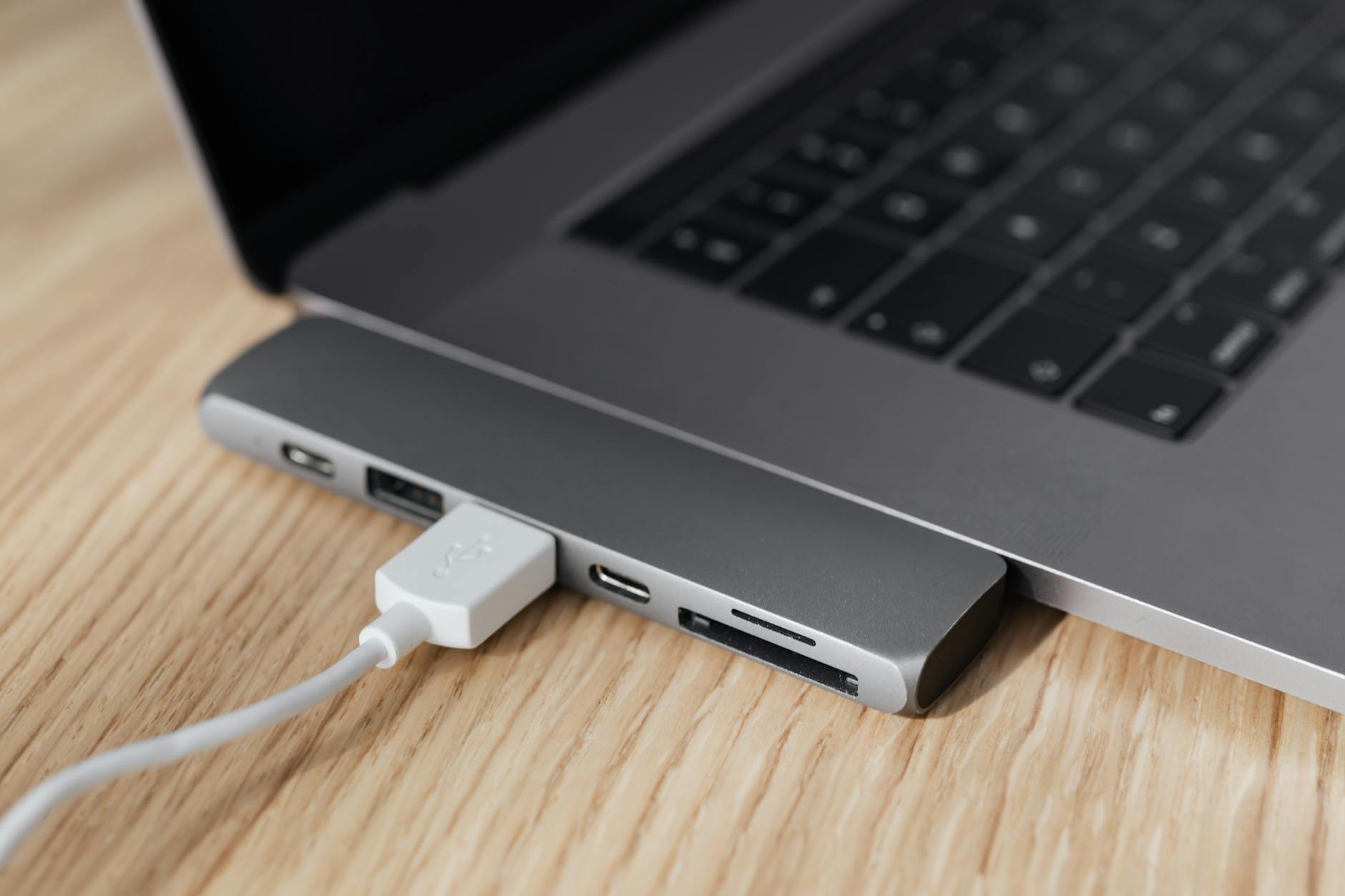
Think back to the days before USB-C. You had a different charger for your phone, your laptop, your camera, and your toothbrush. It was a nightmare of tangled cables. USB-C changed everything by creating a single standard. MCP is doing the exact same thing for AI. Whether you are using Claude, ChatGPT, or a custom-built AI agent, if they all follow the Model Context Protocol, they can all use the same "cables" to connect to your data. This standardization is why MCP for beginners is so exciting - it lowers the barrier to entry for everyone.
The Three Parts of MCP: Host, Server, and Client
To use MCP effectively, you just need to understand three simple roles:
- The Host: This is the AI application you are actually talking to (like the Claude Desktop app).
- The MCP Server: This is a small program that sits next to your data (like your Excel files or your Slack messages) and translates it for the AI.
- The Client: This is the part inside the AI app that reaches out and "grabs" the info from the server.
How MCP Connects Your AI to the Real World
Many people wonder, can a non-technical person use mcp? The answer is a resounding yes. While the underlying code is complex, the user experience is designed to be plug-and-play. Imagine you are a real estate agent. You have a folder full of property photos, a spreadsheet of pricing, and a calendar full of viewings. With MCP, you can tell your AI, "Look at my new listings folder and draft a Facebook post for each one, then check my calendar for open slots next Tuesday."
A Real-World Interaction: From Prompt to Action
Without MCP, the AI would say, "I can't see your folders or your calendar." With MCP, the process looks like this: You give the command. The AI "Host" sees you are asking about files. It checks its available "MCP Servers." it finds the File System server and the Google Calendar server. It fetches the data, processes it, and gives you the result. You never see the code; you only see the completed task. This is the heart of any mcp user guide: moving from conversation to execution.
What Can MCP Connect To? (Gmail, Slack, CRM, and More)
The list of MCP-compatible tools is growing every day. Currently, there are servers available for GitHub (for code), Google Drive, Slack, Brave Search, and even local databases. For a small business owner, this means your AI can finally become a true assistant. It can monitor your Slack for urgent messages, summarize them, and cross-reference them with your client notes in HubSpot. This level of integration was previously reserved for giant corporations with massive IT budgets.
Is It Safe? Understanding OAuth and Scoped Access
One of the biggest hurdles for MCP for beginners is the fear of security. "If I give the AI access to my Gmail, can it read everything?" The beauty of MCP is that it uses modern security standards like OAuth. This allows you to give "scoped access." You can tell the system that the AI is allowed to read your emails but not delete them, or that it can see your calendar but not your private contacts. You remain the boss of your data at all times.
Understanding ACP: Agent Communication Protocol and the AI Org Chart
While MCP handles the connections, we still need to answer: What is ACP? and how does it fit into the acp and mcp puzzle? ACP stands for Agent Communication Protocol. If MCP is the cable, ACP is the language spoken over that cable between two different AIs. As you move into advanced automation, you will find that one single AI is rarely enough. You need a team.
What is ACP and Why Does It Matter?
In the world of ACP for beginners, we think of it as the "handshake" between specialized agents. One AI might be great at researching, while another is great at writing, and a third is an expert in legal compliance. ACP allows these three agents to pass information back and forth without losing context. It ensures that the "Writer AI" knows exactly what the "Researcher AI" found, without you having to act as the middleman.
The AI Company Org Chart Analogy
Think of your business as an organizational chart. You are the CEO. Under you, you might have a Marketing Manager, a Sales Lead, and an Operations Director. In an automated business, these roles are filled by AI agents. ACP is the internal memo system that keeps them all on the same page. When the Sales Agent gets a new lead, it uses ACP to tell the Marketing Agent to send a welcome sequence. This is why acp and mcp are often discussed together; one provides the tools, and the other provides the teamwork.
Why One AI is Not Enough for Complex Projects
You might ask, "Why can't I just use one really smart AI for everything?" The reason is focus. Just like a human, an AI can get overwhelmed or "hallucinate" if it tries to do too many things at once. By splitting a big project into smaller tasks handled by specialized agents talking via ACP, you get much higher quality results. It is the difference between asking a general handyman to build a house versus hiring a plumber, an electrician, and a carpenter.

The Dream Team: Common AI Agent Roles Explained
To start using acp and mcp, you need to know who to "hire" for your digital team. When you understand these roles, you can begin to see how how to write effective AI prompts for business transitions into building full AI systems.
The Orchestrator: Your AI Project Manager
The Orchestrator is the "brain" of the operation. When you give a high-level command like "Launch my new product campaign," the Orchestrator breaks that down into steps. It decides which other agents need to be involved and in what order. It uses ACP to delegate tasks and MCP to check the status of those tasks in your project management tools like Trello or Asana.
The Executor and The Retriever: The Doers and Librarians
The Retriever is the agent that uses MCP to go into your archives. It finds the relevant PDFs, old emails, and market research. It then hands that data to the Executor. The Executor is the one who actually does the work - writing the code, drafting the copy, or creating the spreadsheet. This partnership is the engine of productivity in any modern AI workflow.
The Validator: Ensuring Quality and Accuracy
This is the most underrated role in the AI team. The Validator's only job is to check the work of the other agents. It looks for hallucinations, tone inconsistencies, or factual errors. By having a separate agent for validation, you create a system of checks and balances that makes Passive AI safe for professional use. It is the final gatekeeper before anything reaches a human client's eyes.
Passive AI Automation: Putting ACP and MCP to Work
Now that we have covered the theory of acp and mcp, let's look at how this actually saves you time. Passive AI is the goal - systems that run in the background with minimal intervention from you. This is the ultimate evolution of small business AI implementation.
Newsletter and Social Media Automation for Solopreneurs
A solopreneur can use MCP to connect their AI to their RSS feeds and Kindle highlights. Every Monday, an Orchestrator agent can look at what the solopreneur has been reading, use a Retriever agent to pull out the most interesting quotes, and use an Executor agent to draft a weekly newsletter. The final draft is sent to the solopreneur's inbox for a 30-second approval. What used to take four hours now takes less than a minute.
Customer Support and Reporting for Small Businesses
Small businesses can use mcp guidelines to connect their customer support tickets to a specialized AI agent. The AI can analyze the sentiment of incoming emails. If a customer is angry, it can use MCP to check their purchase history in Shopify and draft a personalized apology and discount code. It then uses ACP to alert a human manager on Slack that a high-priority issue was handled. This is "passive" because the business owner only gets involved when the AI flags a truly unique problem.
Research Briefs and Contract Monitoring for Professionals
For lawyers or consultants, MCP can be used to monitor government websites or news portals for specific keyword changes. When a new regulation is posted, the AI Retriever pulls the text, the Executor summarizes the impact on specific clients, and the Orchestrator drafts a brief. This ensures the professional is always the most informed person in the room without having to spend hours scrolling through news feeds.
How to Use MCP and ACP Without Writing Code
You do not need a computer science degree to start. There are three levels of entry for How to use mcp? depending on your comfort level with technology. Most people will start at Level 1 and naturally progress as they see the benefits.
Level 1: Plug and Play with Claude Connectors
The easiest way to start is using the Claude Desktop app. Anthropic (the creators of Claude) has made MCP a core part of their ecosystem. You can download pre-made MCP servers that allow Claude to read your local files or search the web. This is a great way for MCP for beginners to see the power of the protocol in a safe, controlled environment. You just follow the prompts to install the server, and suddenly your AI has "hands."
Level 2: No-Code Platforms like Zapier and Make
If you want to build more complex workflows, you can use "no-code" tools. These platforms act as a visual interface for acp and mcp. You can drag and drop icons to say, "When this happens in Gmail, tell the AI to do this, then save the result in Google Drive." These tools are the current gold standard for the best no-code tools for AI in 2024, providing a bridge between your apps and the AI's brain.
Level 3: Guided Agent Platforms for Custom Workflows
For those who want a truly custom "AI Org Chart," there are new platforms like CrewAI or MindStudio. These platforms allow you to define different agents (The Orchestrator, The Executor, etc.) and set the rules for how they talk to each other using ACP. While they are slightly more complex, they often feature "chat-to-build" interfaces where you can describe your workflow in plain English, and the platform builds the technical ACP connections for you.
The Automation Architect Mindset: Spotting Opportunities
The real secret to mastering acp and mcp is not technical skill - it is the ability to see your work as a series of repeatable systems. You need to stop thinking like a "user" and start thinking like an "architect." This shift in perspective is what separates those who are replaced by AI from those who are empowered by it.
The Three Questions for Every Repetitive Task
To find automation opportunities, ask yourself these three questions about any task you do more than once a week:
- Is the data digital? (Can an MCP server reach it?)
- Is the process logical? (Can I explain the steps to a smart intern?)
- Is the output predictable? (Do I know what a 'good' result looks like?)
If the answer to all three is yes, you have a prime candidate for an ACP-driven workflow.
Debunking Common Myths About AI Automation
Many people believe that AI automation is "all or nothing." They think they have to automate their entire job or none of it. This is a myth. The best acp and mcp implementations are incremental. You automate the 20% of your work that is the most boring, which frees up 20% of your time to do the creative work that AI cannot do. Another myth is that AI automation is "set and forget." In reality, an Architect periodically checks their systems to ensure the mcp standards are still meeting the business's needs.

Glossary: MCP Standards and Key Terms
To wrap up this acp and mcp guide, here is a quick reference for the terms you will encounter as you begin your automation journey:
- MCP (Model Context Protocol): The universal standard for connecting AI models to data sources and tools.
- ACP (Agent Communication Protocol): The standard for how different AI agents communicate and collaborate on tasks.
- Host: The main AI application (like Claude or ChatGPT) that you interact with.
- Server (MCP Server): The connector that "exposes" your data or tools to the AI.
- OAuth: A secure way to give AI access to your apps without sharing your passwords.
- Passive AI: An automated system that performs tasks without needing a human to initiate every step.
- Context Window: The amount of information an AI can "remember" at one time during a conversation.
In conclusion, the world of acp and mcp is not just for developers and data scientists. It is a new frontier for every professional who wants to work smarter, not harder. By understanding these simple protocols, you can transform AI from a curiosity into a powerful, integrated part of your business. Start small, connect one tool, and watch as your "isolated genius" finally gets the hands it needs to help you succeed.